The Control Center: Your Settings
Informationen zum Artikel

Autor: Dmitry Dugarev
Settings are the brain of your system. Whatever you enter here applies to everything DolmiDesk™ does for you: it appears on every invoice, determines how trips are calculated, and decides what the automation is allowed to handle without you.
You'll find them at the bottom left, under your name.
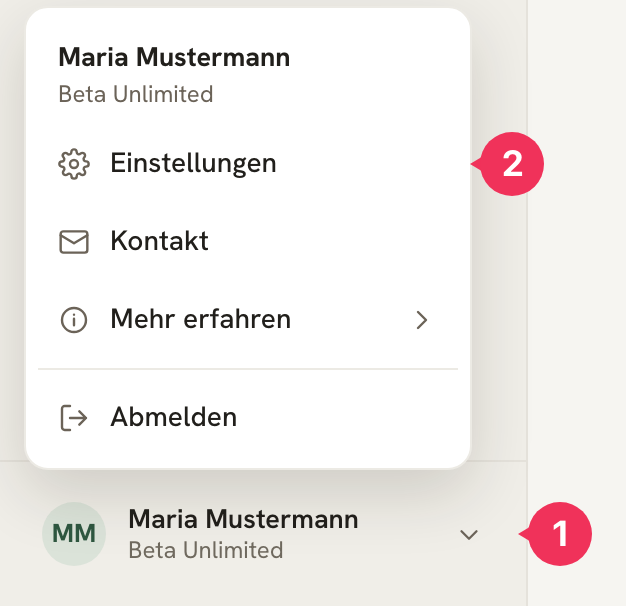
- Click your name at the bottom left.
- Select Einstellungen.
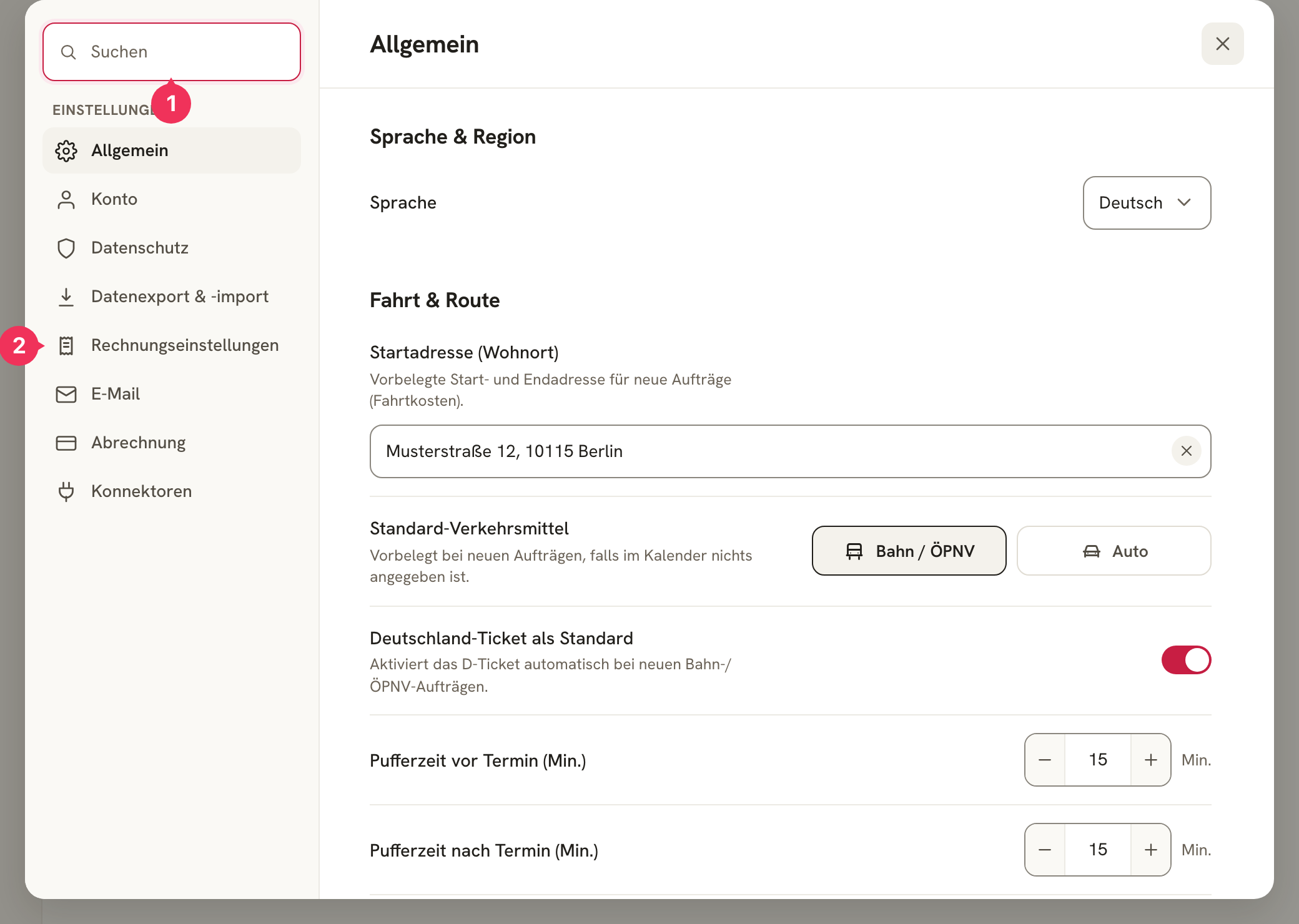
- The search is the fastest way: type "Puffer," "IBAN," or "Mahn" and jump straight to that setting.
- The section list on the left splits the settings into eight groups – the following sections go through them one by one.
General
Language & Region
The language of the interface: German, English, or Russian. This only affects what you see – your invoices and emails are generated from your own templates.
Trip & Route
The basis for every travel-cost calculation.
| Setting | Meaning |
|---|---|
| Startadresse (Wohnort) | The start and end point of every working day. Must be an address that Google Maps recognizes. |
| Standard-Verkehrsmittel | What applies when the calendar entry doesn't specify anything: train/public transit or car. |
| Deutschland-Ticket als Standard | Assumes for new public-transit jobs that you're travelling with the Deutschland-Ticket – so no single-ticket price is needed. |
| Pufferzeit vor Termin | Minutes you want to arrive before the appointment starts. They're subtracted from the start time and determine the planned departure. |
| Pufferzeit nach Termin | Minutes added after the appointment ends, before the return trip begins. |
| Max. Stunden je Wegkette | The maximum length of the break between two appointments for them to still count as a single trip. Longer break → trip home. |
You'll find the full story of how the travel chain (Wegkette) is formed in The Import Process.
Job Recognition
Here you configure the typo correction that recognizes client and Kostenträger (payer) names from your calendar. It only kicks in when a name doesn't match your master data exactly.
| Setting | Meaning |
|---|---|
| Fuzzy-Suche | Turns the correction on or off. |
| Toleranz – kurze Wörter | How many characters may differ for short names (3–4 letters). Recommended: 1. |
| Toleranz – lange Wörter | How many characters may differ for longer names (5+ letters). Recommended: 2. |
The calculation uses the Levenshtein distance [1] – the number of characters you'd need to change to make two names identical:
- Looking for:
Max Mustermann Max Musterman(1 character difference) → acceptedMax Mustermn(2 characters) → acceptedMax Mstrmann(3 characters) → not accepted
Invoice Settings
The biggest section – and the one you should go through in full before your first invoice. You've already filled in most of the fields in the setup wizard.
Rechnungssteller (Invoice Issuer, § 14 UStG)
Name, optional company name, address, phone, and email. This is the letterhead on every invoice and a mandatory legal disclosure. Fields you leave blank take their value from your account – the hints "Wie der Kontoname" ("same as your account name") or "Wie die Startadresse" ("same as your starting address") show this.
Tax
| Setting | Meaning |
|---|---|
| Umsatzsteuer-Modus | Regelversteuerung (standard taxation, 19%), Kleinunternehmer (small-business rules, § 19 UStG), or Steuerbefreit (tax-exempt, § 4 UStG). Determines the tax rate on every invoice. |
| Hinweis auf der Rechnung | The legally required note shown below the total when the rate is 0%. Generated automatically from the mode. |
| Steuernummer | A mandatory field on every invoice. |
| USt-IdNr. | Optional – add it as well if you have one. |
| Institutionskennzeichen (IK) | Only relevant if you bill health insurers directly. |
Bankverbindung (Bank Details)
Account holder, bank, IBAN, and BIC. They appear on every invoice – without them, no one can pay you.
Order and Invoice Numbers
This is where you set the number ranges: for Aufträge (jobs), Rechnungen (invoices), Stornorechnungen (cancellation invoices), and Korrekturrechnungen (correction invoices). You build each format from fixed text and placeholders, for example RE- + Jahr + - + Laufende Nummer → RE-2026-001. You also set which number the sequence should start at.
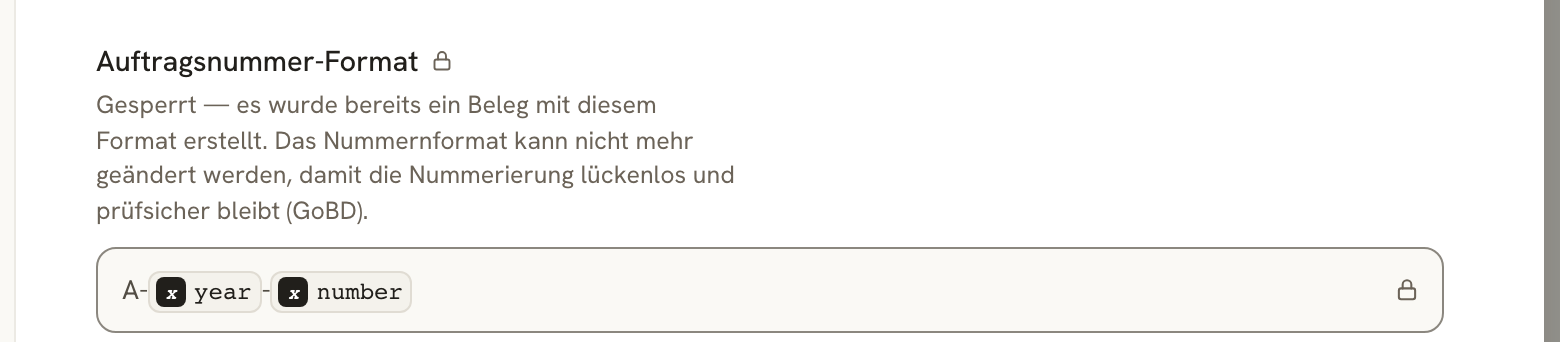
The Rechnungs-Dateiname (invoice file name) determines what the downloaded PDF file is called – also built with placeholders, for example RE_ + Rechnungsnummer + _ + Rechnungsdatum.
Payment & E-Invoicing
| Setting | Meaning |
|---|---|
| Standard-Zahlungsziel | Days until due, when no custom value is set for the Kostenträger. |
| Beleg-Upload E-Mail | The receipt-upload address of your accounting software. Invoices and reminders are automatically sent there as well. |
Reminder Management (Mahnwesen)
The basis for the three reminder levels: Mahngebühr (reminder fee) per level, Verzugszinssatz (default interest rate) (§ 288 BGB: 9 percentage points above the base rate for businesses, 5 for consumers), the Zahlungsfrist je Mahnung (payment deadline per reminder), and the Mahnungs-Dateiname (reminder file name).
E-Mail
Sender
DolmiDesk™ sends your invoices itself – you don't need your own mailbox or your own domain. As the sender, your Kostenträger see the Absendername (sender name, your company name by default), and their replies land in the mailbox set under Antworten gehen an ("replies go to") – your account email.
With Kopie an mich senden ("send a copy to me"), you BCC yourself on every invoice email.
Notifications
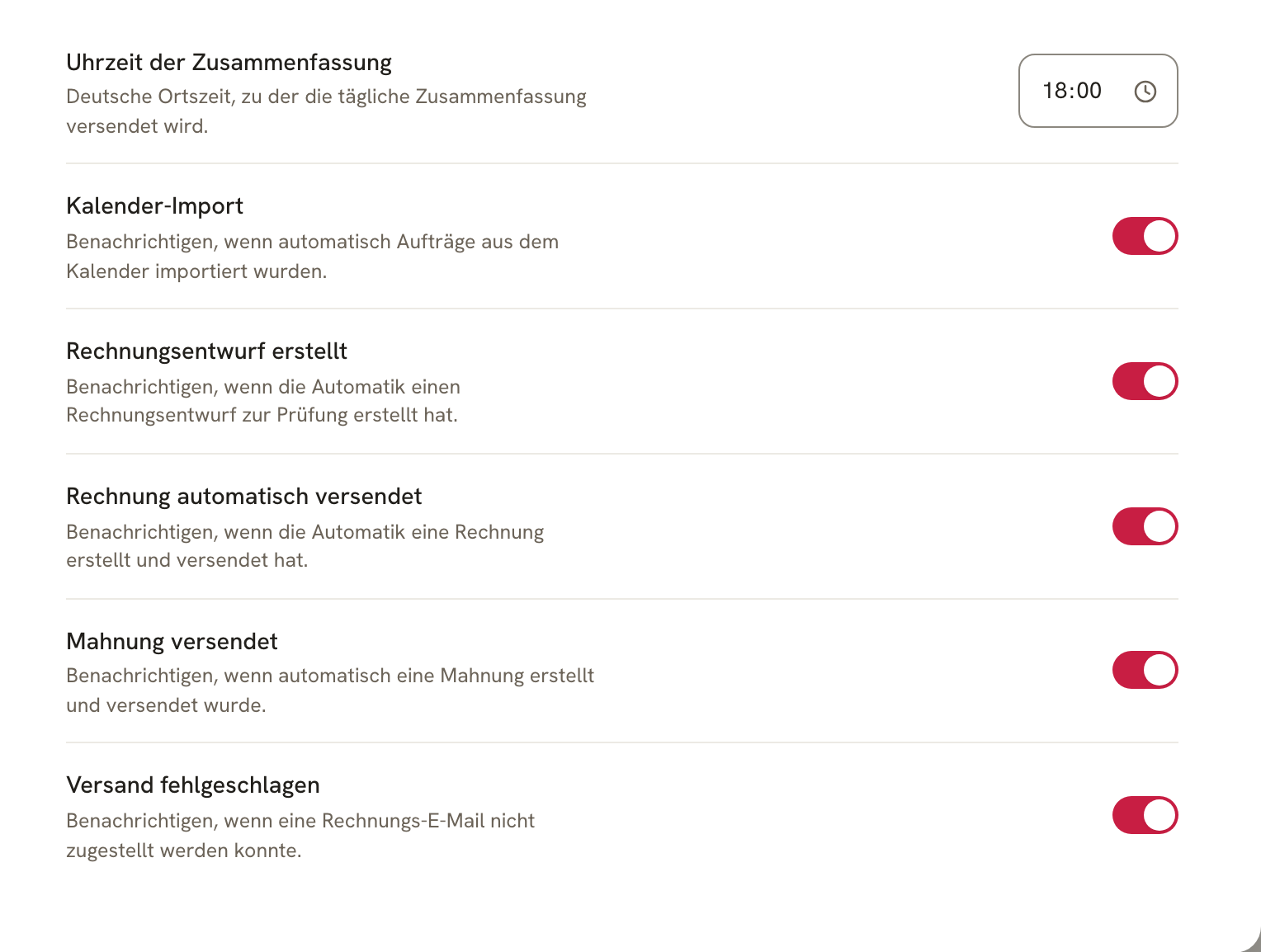
Everything the automation has done for you arrives in one daily email at the time you've set. The toggles determine what shows up in it – if they're all off, you won't get an email at all.
Connectors
This is where you connect your Google Calendar – the source of your jobs. You'll find how that works and what you configure afterward (calendar, appointment color, time window, automatic import) under Getting Started.
Handoffs to LexOffice and sevDesk are in the works. Until then, you send your receipts into your accounting via the Beleg-Upload E-Mail.
Account
Everything tied to your access – not to your business.
- Profil: Avatar, name, and the email address of your account. A change of address is confirmed via a confirmation link sent to the new address.
- Passwort: We send you a secure link to change it.
- Passkeys: Sign in without a password, using your fingerprint, face recognition, or a security key – especially phishing-resistant.
- Zwei-Faktor-Authentifizierung: A one-time code from an authenticator app, in addition to your password.
- Aktive Sitzungen: Which devices are currently signed in, with the option to log them out individually or all at once.
- Konto-ID: The identifier that helps with support requests.
- Konto löschen: Closes your access and permanently deletes all data.
Privacy
- Aufbewahrung & Archivierung: Invoices are automatically archived in a GoBD-compliant, audit-proof way, for ten years. This is legally required and therefore permanently switched on.
- Auftragsverarbeitung & Dokumente: AVV (data processing agreement), Datenschutzerklärung (privacy policy), technical and organizational measures (TOM), and the list of sub-processors – each available as a downloadable PDF.
- Anonyme Nutzungsstatistiken: Helps us improve the product. Anonymous, with no personal data – and only if you've also allowed "Statistics" cookies.
- Kopie Deiner personenbezogenen Daten: Your right of access under Art. 15 GDPR, as a JSON file.
You'll find the full story of what DolmiDesk™ processes and why under Is DolmiDesk™ Legally Compliant?.
Data Export & Import
Your data belongs to you – this is where you get it back out.
- Datenexport: Your master data in DolmiDesk format – Abrechnungsmodelle (billing models), invoice and email templates, Kostenträger, clients, and jobs, either in one file or split by type. Invoices are deliberately excluded: they're immutable records and belong in the GoBD archive.
- GoBD-Export: The complete, audit-ready record for a given period – invoices, payments, reminders, the audit trail, and every uploaded file in its original form. This is the archive you hand to your tax advisor or a tax audit. It's generated in the background.
- Datenimport: Reads both formats back in. From a GoBD archive, master data, templates, jobs, and attachments come back; invoices already issued remain archive records and aren't recreated.
Billing
Your subscription and access to your DolmiDesk invoices. As a beta tester, you keep your price for as long as your subscription runs.
About the author