Email Templates: the wording for your document
Informationen zum Artikel

Autor: Dmitry Dugarev
The last step is sending. So you don't have to type the same text every time, you set up your standard messages under Mails.
DolmiDesk™ sends invoices and reminders itself – the template supplies the subject and message text, while the PDF and attachments are appended automatically.
The List
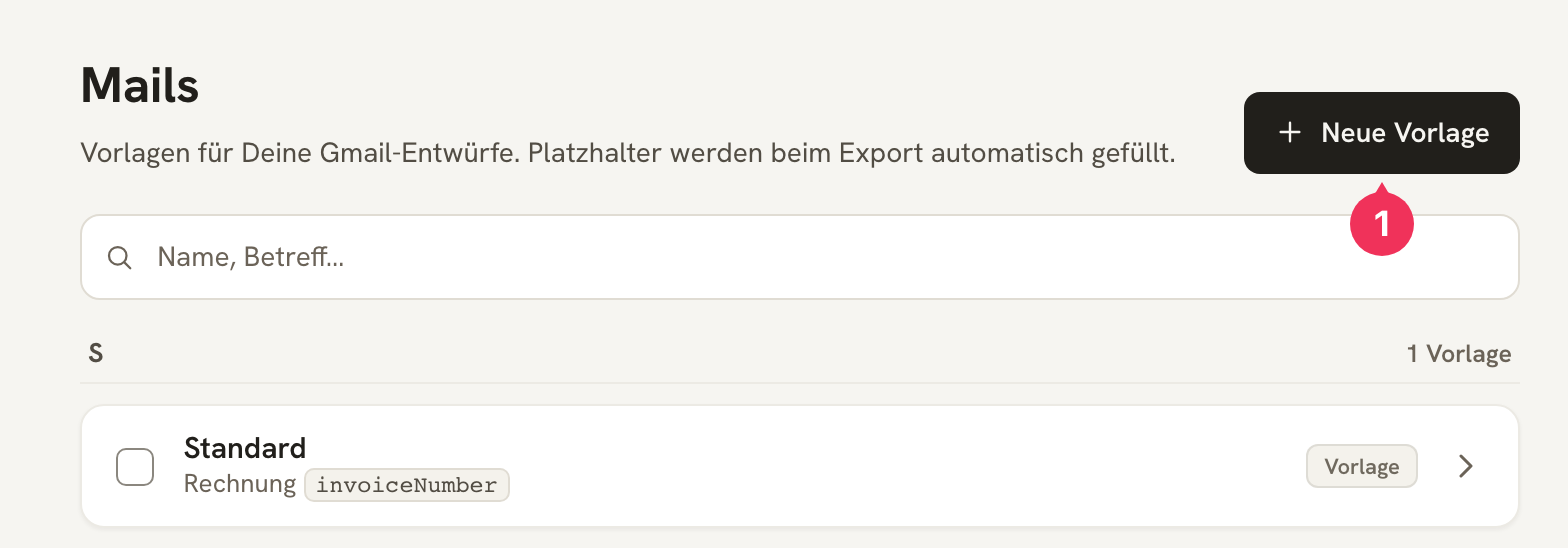
A Standard template is already set up. Use Neue Vorlage (New template) to create more – for example a formal one for authorities and a more casual one for regular clients.
The Fields
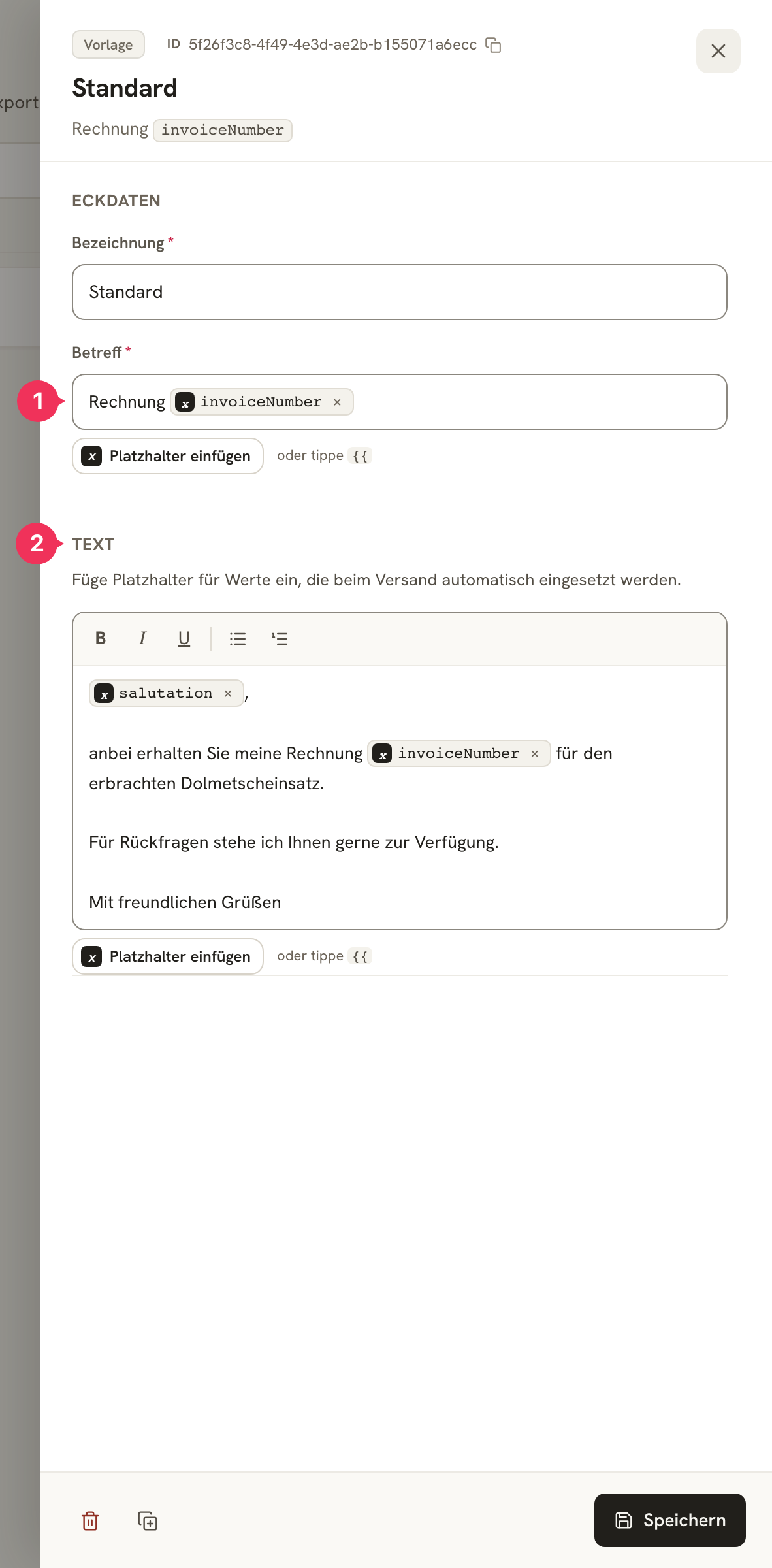
| Field | Explanation |
|---|---|
| Bezeichnung (Name) | The internal name. It appears in the selection at Kostenträger (cost bearer) – keep it short and clear: Standard, Behörde förmlich, Englisch. |
| 1 Betreff (Subject) | The subject line. This is where the invoice number belongs, so the document can be matched to the Kostenträger. |
| 2 Text | The message itself. Paragraphs, bold, italic, and lists are available. |
In both fields you can use placeholders – turning a standard message into a personal one:
| Field | In the template | In the email |
|---|---|---|
| Subject | Rechnung invoiceNumber | Rechnung 2026-002 |
| Text | salutation, anbei erhalten Sie meine Rechnung … | Sehr geehrte Damen und Herren, anbei … |
Use in the System
You don't choose the template per invoice, but once per Kostenträger.


Create a template
Under Mails, create a template, e.g. "Behörde förmlich" (formal, for authorities).
Assign it to the Kostenträger
Open the Kostenträger and, in the Abrechnung (billing) section, select your new template under E-Mail-Vorlage.
Done
From now on, every invoice email to this Kostenträger comes pre-filled with this text.
Before Sending
The template is a suggestion, not a straitjacket: when sending, you see the subject and text once more and can adjust both for this one message – more on this under Rechnungen (Invoices).
About the author