Master Data: Clients
Informationen zum Artikel

Autor: Dmitry Dugarev
Under Clients, you manage the people you interpret for – patients, parents, defendants, employees of a company.
This area has one crucial function: it's the bridge between your calendar and the Kostenträger.
The "90% Rule" (The Bridge)
In everyday use, you just want to jot down a name in your calendar, without having to stop and think each time which agency will get the invoice.
That's exactly why you link every client to a Standard-Kostenträger (default cost bearer).


If you just write Kunde: Anna Schulz in the calendar entry, without naming a Kostenträger, DolmiDesk™ looks here and knows:
"This client is billed via AOK Hessen by default."
That fixes the price, invoice template, and mailing address – everything you've set up under Kostenträger.
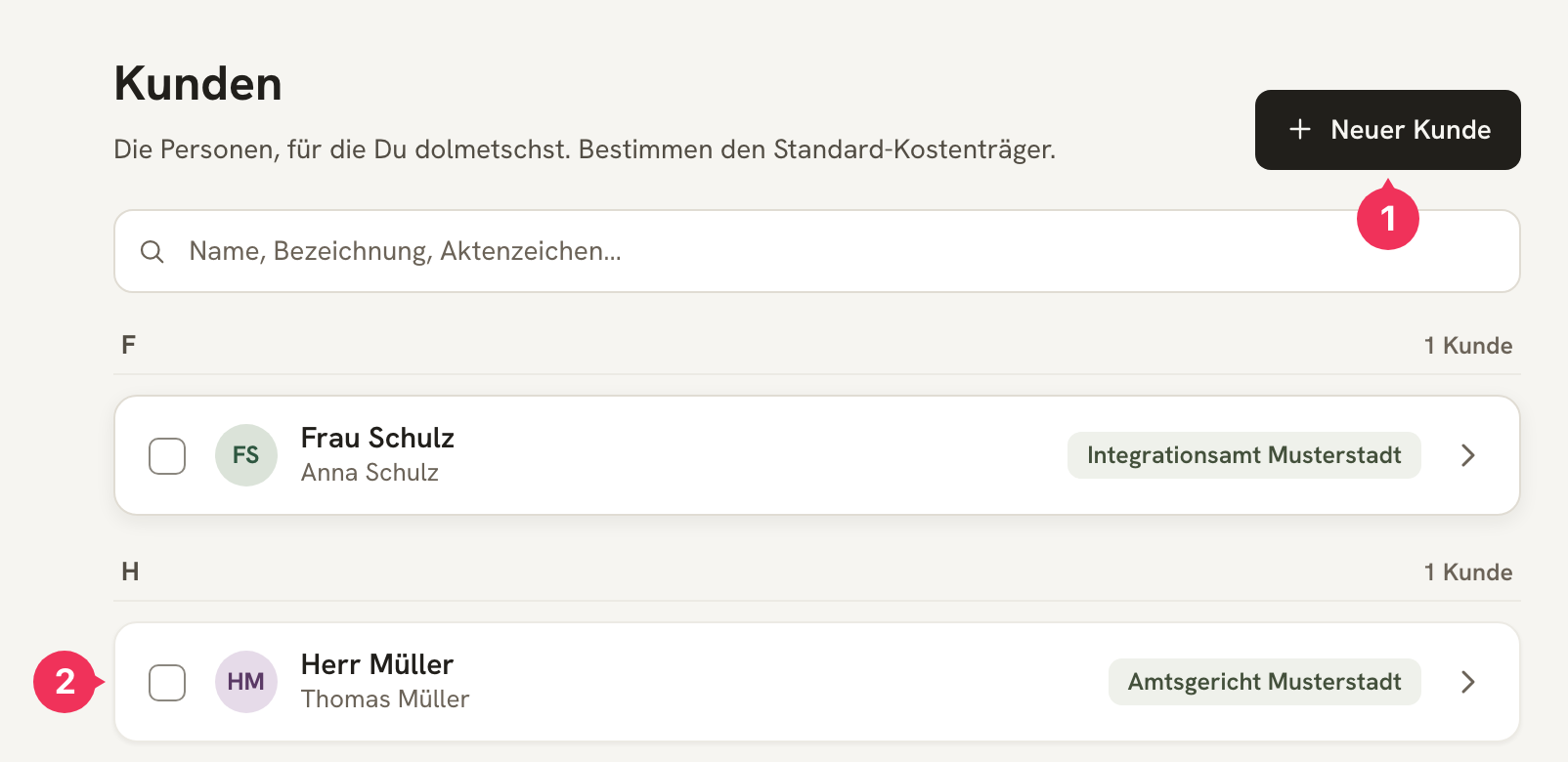
- Neuer Kunde creates a new entry.
- Clicking a row opens it for editing.
The Fields in Detail
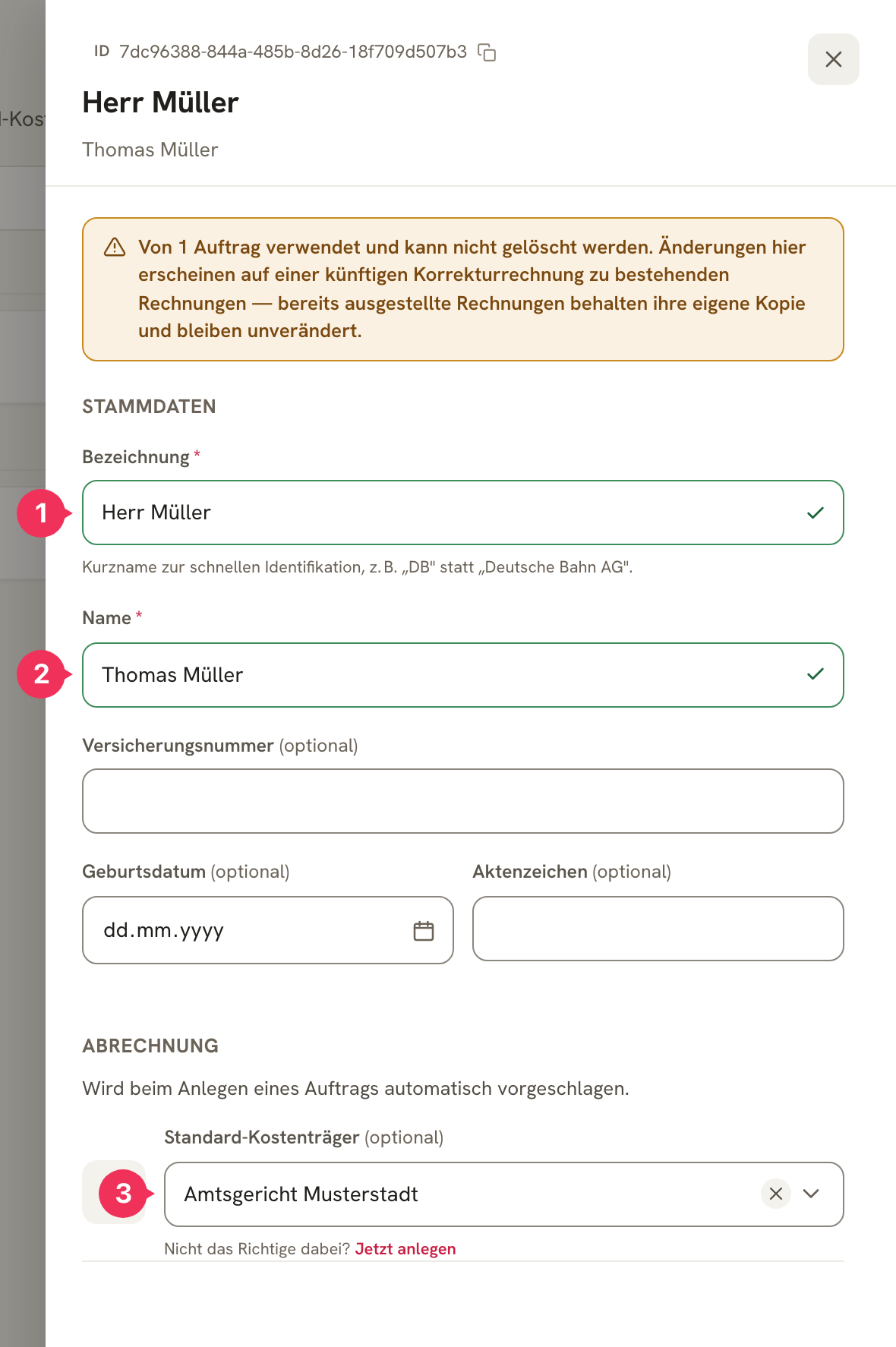
| Field | Explanation |
|---|---|
| 1 Bezeichnung | The short name for quick identification – and the name you write in your calendar. Short and unambiguous, e.g. Frau Schulz or DB instead of Deutsche Bahn AG. |
| 2 Name | The full name. It's available as a placeholder in your invoice templates. |
| Versicherungsnummer | Optional. For billing with health insurance funds. |
| Geburtsdatum | Optional. Required by some agencies for identification. |
| Aktenzeichen | Optional. The reference number under which the case is filed with the Kostenträger. |
| 3 Standard-Kostenträger | Who normally pays this client's invoices. Automatically suggested when you create a job. |
Guide: Creating a New Client
You have a new client, "Max Mustermann," whose invoices go to AOK Hessen.
Create the client
Click Neuer Kunde.
Enter the name
| Bezeichnung | Name |
|---|---|
| Max Mustermann | Herr Max Mustermann |
That way, you write Max Mustermann in the calendar, while Herr Max Mustermann appears on the invoice.
Add the extra details
| Versicherungsnummer | Geburtsdatum |
|---|---|
| M-12345678 | 01.01.1990 |
Both are optional – but if the health insurance fund wants to see the Versicherungsnummer on the invoice, this is exactly the right place for it.
Link the Kostenträger
Under Standard-Kostenträger, select the entry AOK Hessen. If it's not there yet, create it via Jetzt anlegen directly from this form.
Save
Done.
The result: Enter Kunde: Max Mustermann in your calendar, and DolmiDesk™ immediately knows who gets the invoice, which address it goes to, which model is used to calculate it, and what it looks like.
Editing and Deleting
- A client already linked to a job cannot be deleted – but can be edited at any time.
- Invoices already issued keep their own copy of the data. So a corrected name doesn't retroactively appear on old invoices.
About the author